Open Integration Manager Preprocessing Functions
Before being ingested into BigPanda, the Open Integration Manager performs preprocessing functions on some complex integrations. Preprocessing functions are essential components of OIM that transform, delete, create, or update incoming data before it reaches OIM. This allows the data to be mapped appropriately to tags in BigPanda. You can view these functions in the Integration Manager tab within OIM.
Preprocessing rules let you reshape source data so it maps cleanly to BigPanda tags. For example, you can extract a percentage from an alert description into a new tag, normalize tag names, parse key:value strings, or clean up source fields after they have been used.
View Preprocessing Functions
Preprocessing functions are visible within the Integration Manager tab in OIM integrations. To view preprocessing functions used on the integration, click the Settings cog icon.
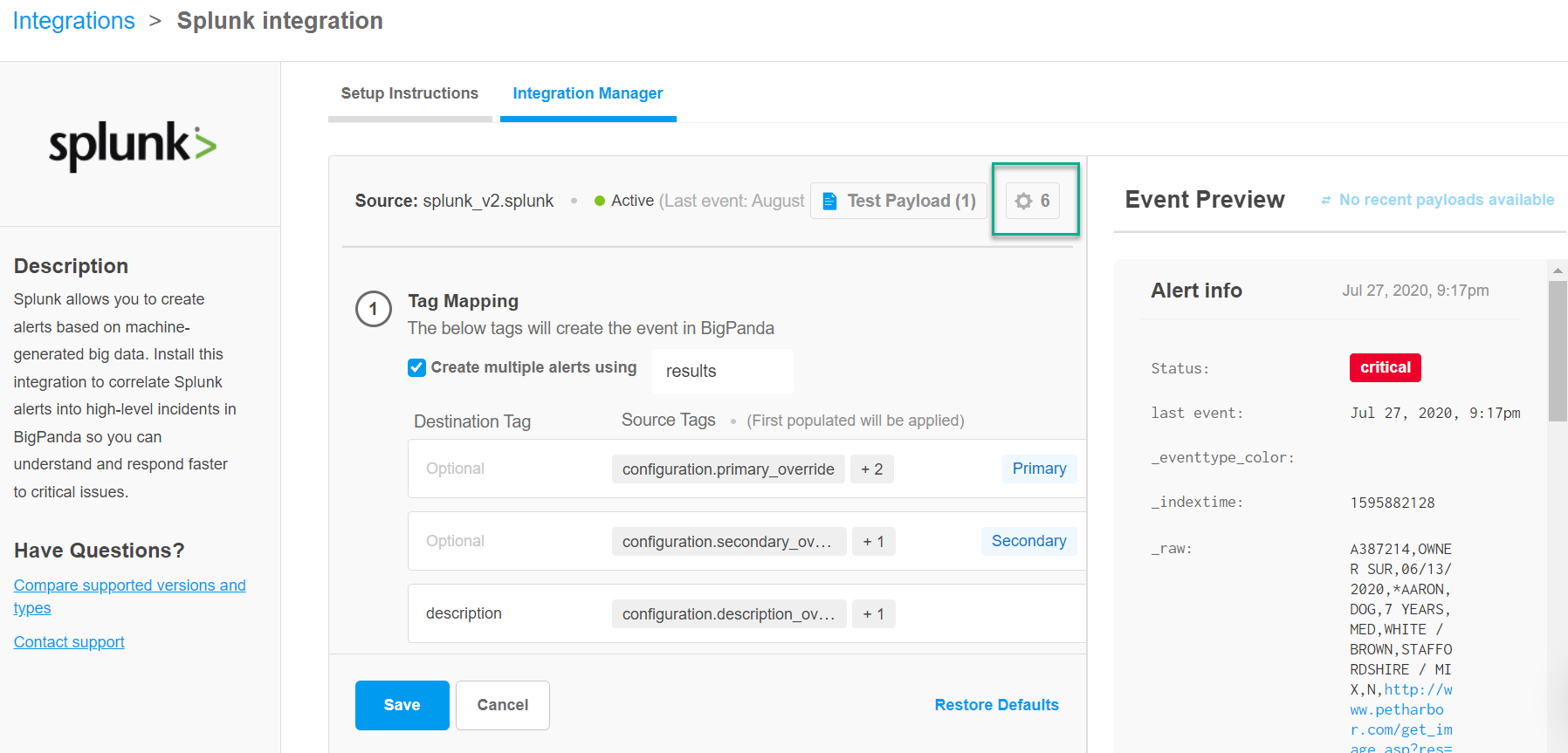
No preprocessing functions
If there are no preprocessing functions performed on the integration, the Settings cog icon will be greyed out and display the number zero next to it.
The Preprocessing Functions window shows all global and custom functions applied for the integration. Click the arrow on the preprocessing function box to expand details about the function. The following information is available:
Function name
Description
Source tags
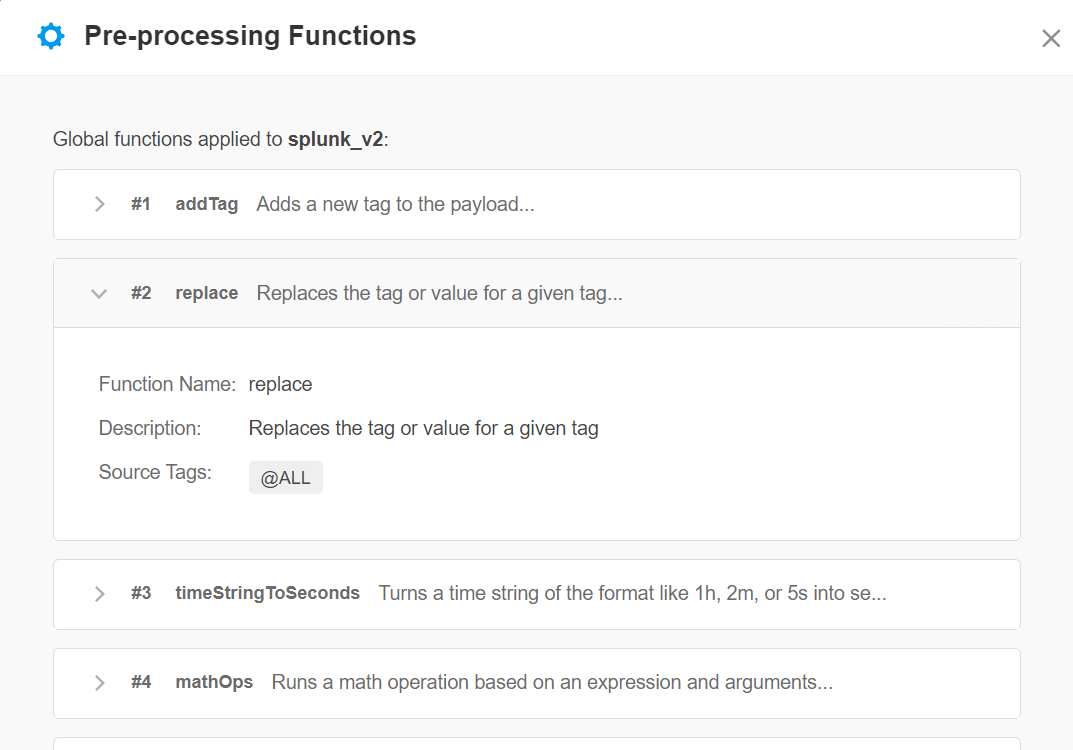
On the right side of the screen, a sample payload preview is available.
Available Preprocessing Functions
Global Preprocessors
These preprocessing functions are used out of the box for all Open Integration Manager integrations of the related type:
Function name | Description | Integrations |
|---|---|---|
dateToString | Converts a date string or epoch string into a formatted date string. | |
valueMap | Translates values based on a setstatic map. | |
duplicate | Duplicates the selected tags in the payload, adding with a prefix. | |
split | Splits a string into an array of items. | |
addTag | Adds a new tag to the payload. | |
keyValuePairParser | Parses an array of strings into separate tags containing each value to create a key value entry in the object. | |
sanitizeMarkdown | Converts markdown to regular text. | |
replace | Replaces the tag or value for a given tag. | |
mathOps | Runs a math operation made up of an expression and arguments. | |
timeStringToSeconds | Turns a time string such as 1h or 2m into seconds. | |
decodeURI | Decodes URI encoded strings. | |
regexExtraction | Uses a regular expression to extract a value from a tag into a new tag name. | |
coalesceToTag | Checks for the presence of each tag in the payload, finds the first match containing a value, and assigns it to the value in | |
deleteTag | Deletes a tag in the payload. | |
findAndMoveItemUp | Finds an object in an array and moves it up one level as a single object. Item object is passed into the expression. | |
cloudwatch_processDimensions | Loops through the dimensions array in a CloudWatch alert and sets specific properties for the object and dimensions key. | |
cloudwatch_processMetrics | Loops through the metrics array in a CloudWatch alert and expression, operator and check property. | |
cloudwatch_processSubscriptionConfirmation | Processes the CloudWatch subscription confirmation type. The message does not result in an alert and does not go to OIM. | |
stringToObject | Parses a string and converts it to a JSON object. |
Custom Preprocessors
These preprocessing functions are available to be added to Open Integration Manager integrations:
Function name | Description |
|---|---|
| Adds a new tag to the payload with a static value. |
| Converts a nested object into an array of keys or values. |
| Checks a list of tags in order and assigns the first non-empty value to a new tag. |
| Converts a date string or epoch value into a formatted ISO 8601 date string. |
| Decodes URI-encoded strings. |
| Removes a tag from the payload by matching on tag name or value. |
| Duplicates a tag, adding a |
| Searches a nested array for a matching item and promotes it to a top-level tag. |
| Combines the values of multiple tags into a single tag using a delimiter. |
| Parses an array of |
| Runs a math expression against tag values. Supports the math.js function library. |
| Uses a regular expression to extract a value from a tag into a new tag. |
| Replaces characters or patterns within tag names or values. Supports |
| Strips markdown formatting from a tag value. |
| Shortens the URL to fit character limits. |
| Splits a delimited string into an array of items. |
| Parses a JSON string into a structured object so nested fields are addressable. |
| Converts tag values to upper or lower case. |
| Converts a duration string such as |
| Translates tag values using a static lookup table, with a fallback for unmatched values. |
| Converts an array of key-value objects into individual tags. |